Python to Native Code: How Does It Work?
Most Python applications ship as readable source code. You hand over .py files, your users or customers run them, and anyone with a text editor can inspect your business logic. A Python to native code converter changes that equation: instead of distributing .py files, you distribute native machine code that runs directly on the CPU.
This article explains what that actually means, how the conversion pipeline works under the hood, and where Py2Native fits as a zero-config tool for protecting proprietary Python code.
What Does “Python to Native Code” Actually Mean?
Normally, CPython does not run your .py file directly on the CPU. It first compiles it to Python bytecode, which is then executed by the Python virtual machine. That bytecode is often cached in .pyc files, and it can be decompiled back into recognizable Python source with readily available tools.
Native code is different. It is machine code generated for a specific CPU architecture. There is no Python virtual machine in the middle, and there are no .py or .pyc files shipping with your product.
A Python to native code converter translates your Python source into something that can be compiled into that lower-level form. The end result is either:
- A standalone executable that users can run without exposing Python source.
- A shared library that other Python code can import, but whose internal logic is compiled rather than shipped as readable
.pyfiles.
A useful analogy is food. Shipping Python source code is like handing someone a recipe book: they can read every ingredient, every step, and every secret technique. Shipping native code is more like serving a sealed, pre-cooked meal. The result works, but the original recipe is no longer visible in a convenient form.
Several tools can perform this kind of conversion, including Cython and Nuitka. Py2Native uses Cython under the hood but hides it completely. You write plain Python, run one uv command, and get a compiled binary.
How Python to Native Code Conversion Works Under the Hood
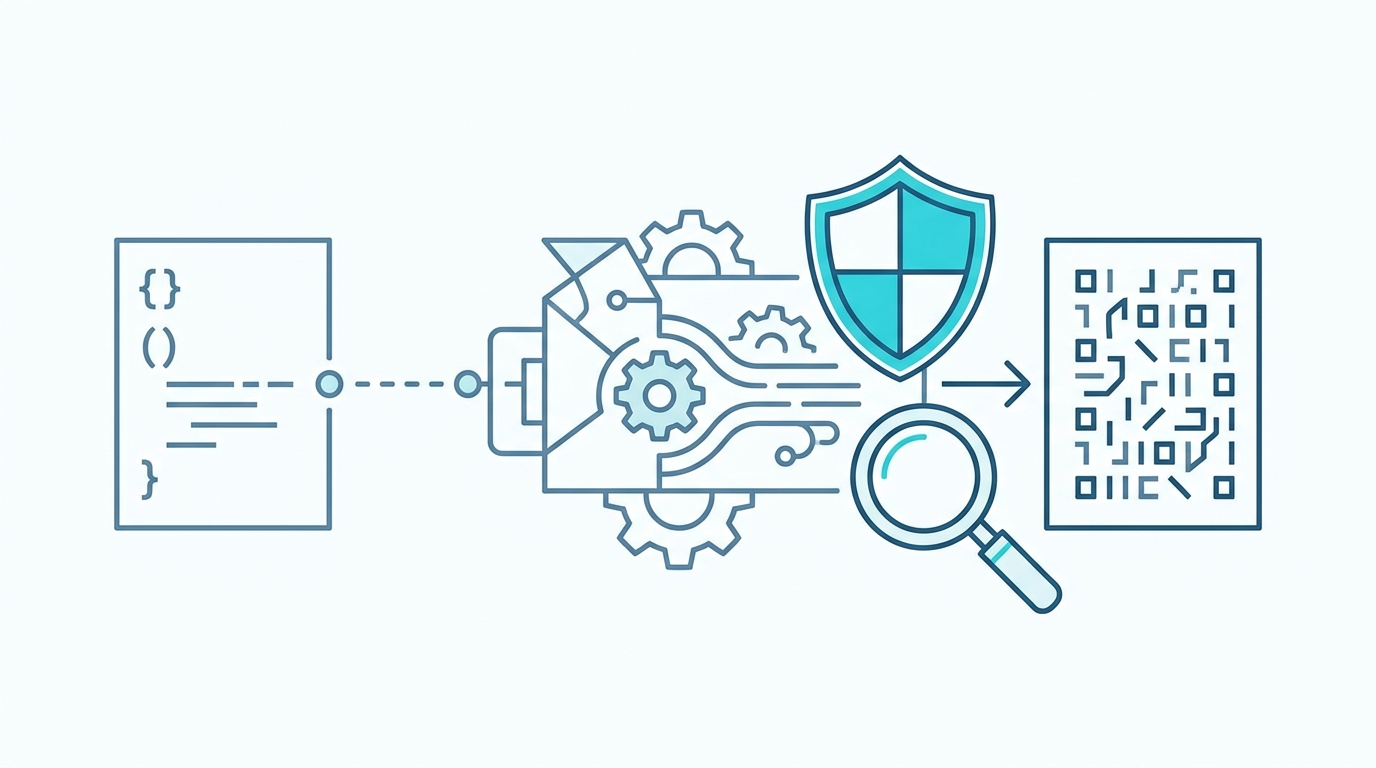
The general pipeline looks like this:
Python source → C source → compiled object files → native binary
Here is what happens at each stage:
- Python to C. A transpiler converts Python modules into C code. Py2Native uses Cython for this step, but you do not write
.pyxfiles or run Cython manually. - C to object files. A platform C compiler compiles the generated C into object files for your target operating system and CPU architecture.
- Linking. The object files are linked into a shared library or an executable.
Py2Native automates the entire flow. A typical build looks like this:
uv run py2native build main.py *.py
Under the hood, Py2Native expands the glob patterns, invokes Cython, compiles the generated C, handles platform-specific linker flags, and produces the final binary.
Py2Native supports two output modes:
- Executable mode produces a standalone native executable.
- Library mode produces a shared library such as
.pydon Windows,.soon Linux, or.dylibon macOS.
Library mode is especially useful for multi-module packages. The generated wheel contains a single compiled shared library plus two small Python files:
__init__.py— a meta-path finder that redirects imports likeimport mypkg.submoduleto the shared library.__main__.py— enablespython -m mypkg.
Those two files are required. They bridge Python’s import system to the compiled code without exposing your actual module source.
An important detail: Py2Native compiles your custom Python code, but it leaves third-party libraries as Python source. That is intentional. It avoids many of the compatibility problems that occur when you try to force-compile arbitrary dependencies. Your proprietary logic is protected, while external libraries continue to behave normally.
Why Convert Python to Native Code? Benefits and Trade-offs
The primary reason developers reach for a Python to native code converter is source code protection. Instead of shipping readable .py files, you ship a compiled binary. Recovering the original source becomes much harder than opening a text editor or decompiling bytecode.
There are secondary benefits too:
- Potential performance improvements. CPU-bound code may run faster because hot loops execute as native machine code rather than Python bytecode.
- Cleaner distribution. You do not need to ship
.pyfiles for your compiled modules. - Harder casual inspection. Business rules, algorithms, and proprietary logic are not immediately visible.
But there are trade-offs:
- Platform-specific binaries. A Windows build is not a Linux build. You need to compile for each target platform.
- Dynamic Python features can be tricky. Some highly dynamic code, monkey patching, or runtime code generation may not behave identically.
- Build complexity. Manual Python-to-native workflows can be painful. Py2Native is designed to remove that complexity, but it is still an extra build step.
There are also two common misconceptions. First, compiling to native code is not a security panacea. A determined attacker with reverse-engineering tools can still analyze a native binary. What you gain is a much higher barrier than shipping source or bytecode. Second, not all Python code gets faster. I/O-bound programs, database calls, and network-heavy applications may see little or no speedup.
Py2Native: The Zero-Config Way to Compile Python to Native Code
Py2Native is an open-source compiler, licensed under MIT, that treats Cython as an implementation detail. You do not need to learn Cython syntax, create .pyx files, write setup.py, or puzzle over platform linker flags.
The core workflow is one command:
uv run py2native build main.py *.py
That command globs your source files, runs the compilation pipeline, and creates a native executable.
You can also build an importable library:
uv run py2native build main.py *.py --library --wheel dist/
Or create an embedded deployment directory managed by uv:
uv run py2native build main.py *.py --embed app/
For commercial software, the Pro plugin adds built-in license verification using signed JWT licenses. The workflow starts with generating an EC P-256 keypair:
uv run py2native keygen private.pem public.pem
Then you sign a JWT payload with the private key:
uv run py2native sign --private private.pem '{"sub":"customer-123","exp":"2026-12-31"}' license.dat
To inspect a license, use:
uv run py2native show --public public.pem license.dat
When you build with the Pro plugin, you pass the license and public key:
uv run py2native build main.py *.py \
  --license license.dat \
  --public public.pem
The Pro plugin also requires a small .pxd file in your project. That file declares the compiled verification routine that the plugin injects into the build. For example:
# pro_license.pxd
cdef bint verify_license(const char* license_key)
In your application code, you call that verification logic before allowing protected features to run:
from pro_license cimport verify_license

def start():
    with open("license.dat", "rb") as fh:
        license_bytes = fh.read()

    if not verify_license(license_bytes):
        raise SystemExit("License is invalid or expired")

    run_application()
Only the public key is baked into the executable. The elliptic key verification logic is compiled into the binary, with no third-party libraries involved. This means the license check is more than a removable Python if statement; it is part of the native build.
Common Pitfalls and How Py2Native Avoids Them
Pitfall: Manual Cython setup.
The hard way involves writing .pyx files, maintaining Cython build steps, and hand-tuning platform flags. Py2Native skips that workflow. You write plain Python and issue one uv run py2native build command.
Pitfall: Breaking imports in multi-module projects.
When you compile a package, Python still needs a way to import submodules. Py2Native library mode generates __init__.py and __main__.py automatically, so import mypkg.submodule and python -m mypkg continue to work.
Pitfall: License checks that are easy to bypass.
A license check written only as a Python condition is visible in source or bytecode and can be patched out. Py2Native Pro bakes verification into the native binary and stores only the public key. Tampering becomes significantly harder.
Pitfall: Multi-platform distribution.
Different operating systems require different compilers, flags, and naming conventions. Py2Native includes platform plugins for Windows, Linux, and macOS, handling .pyd, .so, and .dylib outputs plus platform-specific linking.
FAQ: Python to Native Code Converters
Does compiling Python to native code make it impossible to reverse engineer?
No. It makes reversing much harder, but not impossible. Native binaries can still be disassembled, but the original Python source is not directly readable. Py2Native adds an extra layer by embedding license verification in compiled code.
Will my Python code run faster after compiling to native?
It depends. CPU-bound code often sees speedups because it runs as native machine code instead of Python bytecode. I/O-bound or heavily dynamic code may see little change. Py2Native focuses on code protection, not just performance.
Can I compile a Python package with multiple modules?
Yes. Py2Native supports compiling multiple source files into a single shared library. It automatically generates the necessary __init__.py and __main__.py so the package can be imported and run normally.
How does Py2Native handle third-party libraries?
Third-party libraries are left as Python source and are not compiled. This avoids compatibility issues and keeps your distribution flexible. Only your custom code is compiled into native machine code.
Conclusion
A Python to native code converter turns readable .py files into machine code that is far less convenient to inspect or modify. The conversion pipeline is straightforward, but doing it manually can be tedious and error-prone. Py2Native automates the entire process so that you can keep writing plain Python and still ship a protected binary.
If you want to see the full workflow in action, start at Py2Native. If you are ready to compile your first executable, follow the hands-on tutorial linked below.
Related posts
- Tutorial: Compile Your First Python Executable with Py2Native
- Automate Compiling Python to a Shared Library with Py2Native
- Compile Python to Native Code Without Learning Cython Syntax